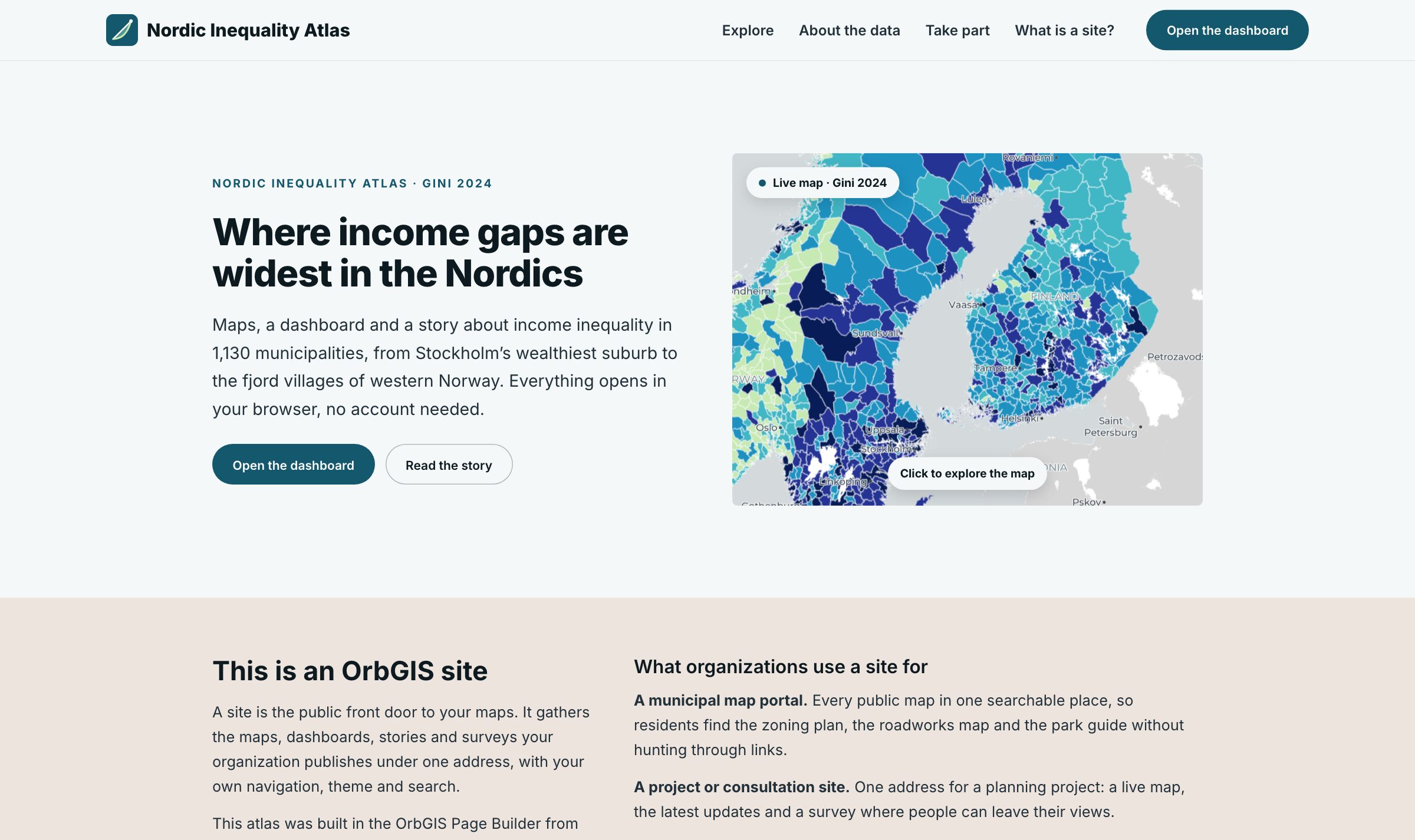
A published site: your menu and theme, a live map and every app one click away
Gather your published maps, dashboards, journeys and surveys on one public site, with your own menu, theme and address. You build it from blocks, no code and no web agency.
A published site: your menu and theme, a live map and every app one click away
A site is your organization's public front door. Instead of handing out a new link for every map and dashboard, you give people one address where everything you have published is gathered and presented the way you want, under your own menu, logo and theme. Municipalities use it as a map portal for residents, consultancies as a project or consultation page with a live map and a survey, research teams to present a programme's results, and GIS consultants as a portfolio to show clients.
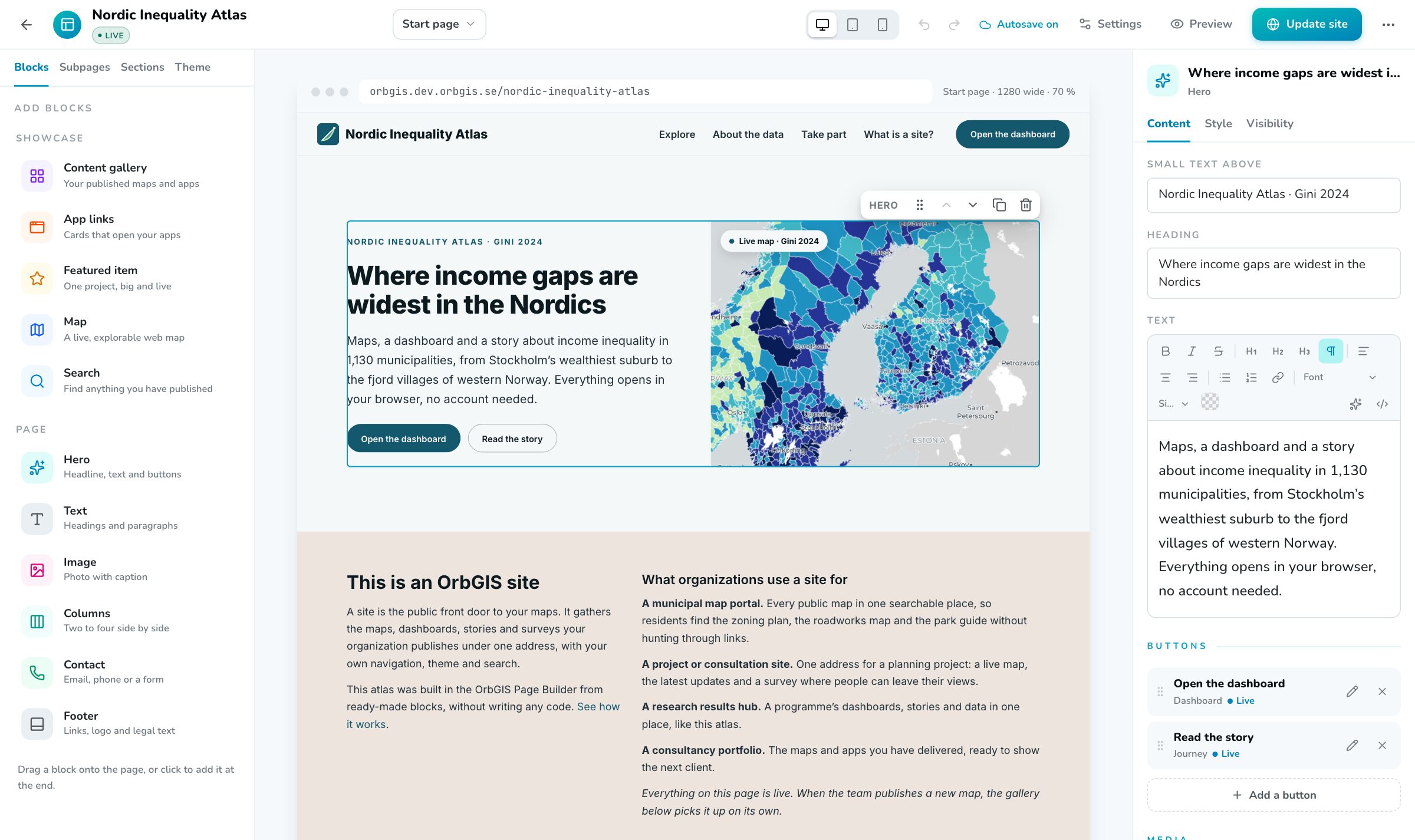
You build the site in the Page Builder by dragging blocks onto the page: a hero with a live map, galleries that list your published content, featured items, embedded maps, search, app links, contact details, text and images. Each block is set up in the panel on the right, and you see the page on desktop, tablet and phone as you go. Start from a template and the site fills itself with what you have already published.
A site only ever shows content that is already published. Drafts you link to are flagged in the builder and left out for visitors, so a site never makes anything public by accident. Visitors see the last version you published while you keep editing, and the site goes live on your organization's own subdomain, at its root if you make it the organization's home page, or on your own domain. See a finished one in the Nordic Inequality Atlas demo.
Hero, content gallery, app links, featured item, live map, search, contact, text, image and columns. A gallery can list everything you publish of a type, from a folder or with a tag, so a newly published map shows up on the site on its own.
Add subpages such as About the data or Take part, each with its own address under the site, and link them from the menu or straight to a section further down a page.
Sites follow your organization's themes: colors, fonts, corner rounding and spacing, with per-site overrides. Pick the same theme as your dashboards and journeys and everything reads as one product.
Switch the builder between desktop, tablet and phone to check every page, and hide a block on a device where it doesn't belong.
Edits wait in the draft until you press Update site. Every update is kept as a version you can restore, and when you change the address the old one keeps working.
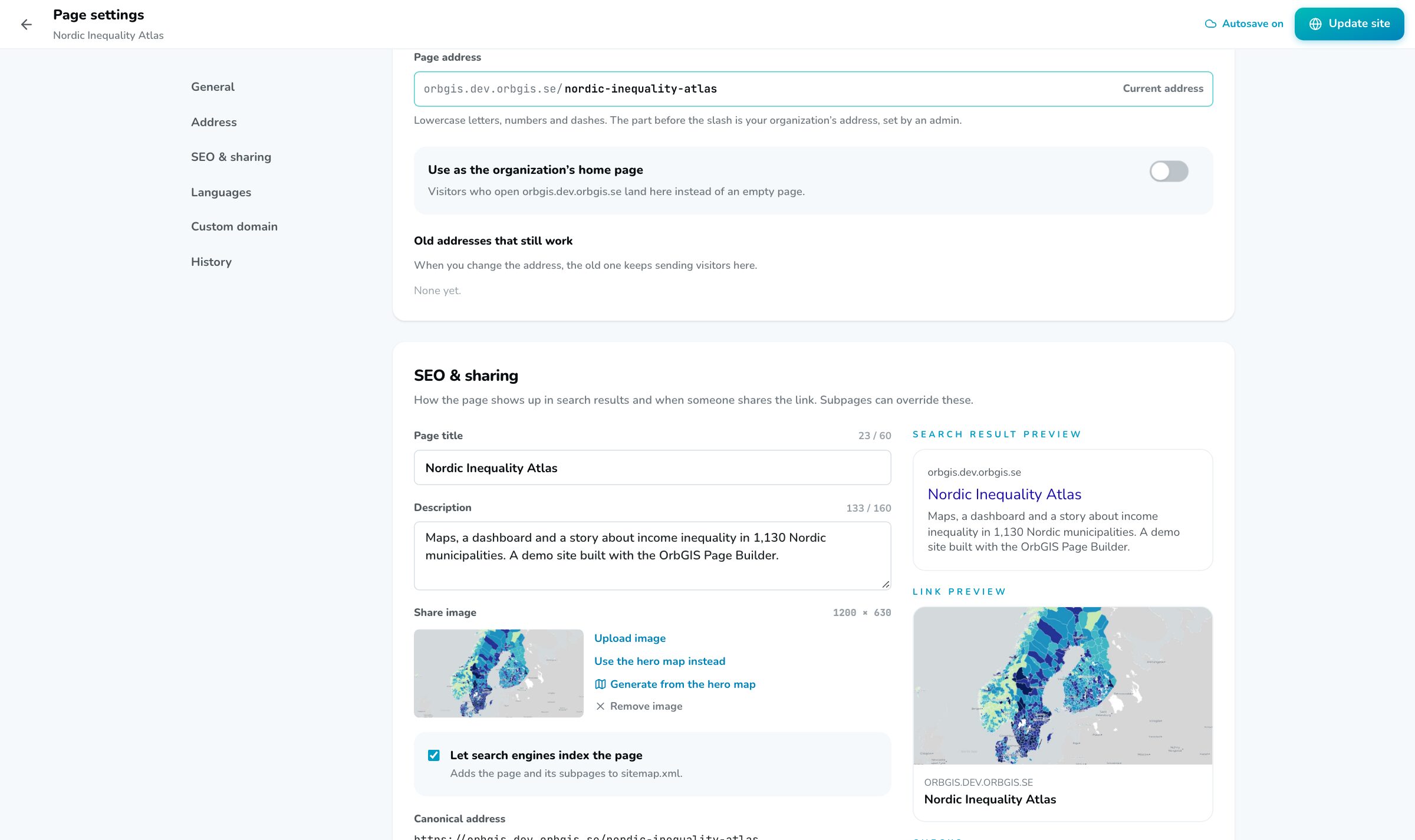
Every page and subpage gets a title, a description and a share image for search results and link previews, plus a sitemap and canonical addresses. Built-in checks flag what's missing before you publish.
Publish at your-org.orbgis.se/your-site, make it your organization's home page at your-org.orbgis.se, or connect a domain of your own, like maps.example.com.
Gather your published maps, dashboards, journeys and surveys on one public site with its own menu, theme and address, starting from a template.
→Build public sites from blocks: one address for the maps, dashboards, journeys and surveys you publish, with your own menu, theme, subpages and domain.
→Two independent switches govern who sees what: Ownership (Private or Organization) inside your org, and Publishing for the open web, for maps, apps and sites, with a clear exposure check.
→Design your organization’s look once, colors, fonts, chart ramp, radius and spacing, and every dashboard, journey, layout and survey inherits it.
→The home for everything your organization makes: browse, search, organize and manage all content, maps, datasets, apps and files, in one place.
→
No demo call. No sales funnel. Sign up to make your first map.